The main types of IoT sensors split into physical sensors, such as temperature, pressure and motion, and chemical sensors for gas and pH. The right choice depends on the signal, the power supply and the environment.
This guide links each sensor family to robot uses. For the wider engineering picture of how to build a robot, start with the hub and come back here when you reach the sensing stage.
How an IoT sensor turns a physical change into data
An IoT sensor converts a measured quantity into an electrical signal that a microcontroller or gateway can read. Three questions sort nearly every sensor: what it measures, what kind of signal it produces, and how it is powered.
On the first question, an IoT sensor overview separates physical sensors, which measure temperature, pressure and motion, from chemical sensors, which detect gas and pH. That split tells you early whether a part is a simple transducer or something that needs sampling, calibration and care in handling.
On the second, the same source notes that analog sensors give continuous signals that vary in proportion to the measured quantity, while digital sensors give discrete, binary output. Analog parts suit simple wiring and direct reading. Digital parts suit shared buses and longer cable runs, because the reading arrives as data rather than as a voltage that can be disturbed.
The third question, power, is covered in the selection steps below. First, the sensor families themselves.
Environmental sensing: temperature as the baseline
Temperature is the most basic IoT measurement. One sensor guide says it appears in every IoT use case, because thermal conditions matter almost everywhere. It lists three main temperature sensor types:
- Thermistor: a resistor whose resistance depends largely on temperature.
- Resistance temperature detector (RTD): the second listed type, also based on resistance change.
- Thermocouple: the third listed type, and the one to evaluate when the application is industrial.
Practical uses include preventing boiler overheating and monitoring conditions during transport, according to an industrial IoT sensor guide. For range, the Cavli overview gives a smart-home example operating from -20°C to 50°C, typical of residential settings. Treat that as an example of a domestic requirement, not a limit for every temperature sensor. Outdoor, oven or process uses need a part chosen for those conditions.
On a robot, a temperature sensor is a cheap way to watch the thermal conditions of the parts you care about. Choose the type by the environment it must survive before you choose it by price.
Motion and position sensors
Accelerometers and gyroscopes answer different questions. An accelerometer reports motion. Cavli names the ADXL345 accelerometer as a part used for motion detection in portable devices, robotics and gaming controllers. A gyroscope monitors rotation and measures angular velocity, which, per the Renkeer guide, makes it suited to navigation systems and robotics.
For a moving robot, the practical reading is that one sensor tells you the platform is moving and the other tells you it is turning. Neither alone describes the full motion. If the build is a flying platform, How Drones Work: The Clear, Practical Guide To Flight, Systems, And Safety (2026) shows where motion sensing sits among the other flight systems.
Proximity and optical sensing
A proximity sensor detects changes in its surroundings. According to the industrial IoT guide, such sensors typically work by emitting electromagnetic fields and sending an alert when something changes. A sensor-type roundup lists infrared, ultrasonic and optical sensors, plus LiDAR, as ways to do proximity detection.
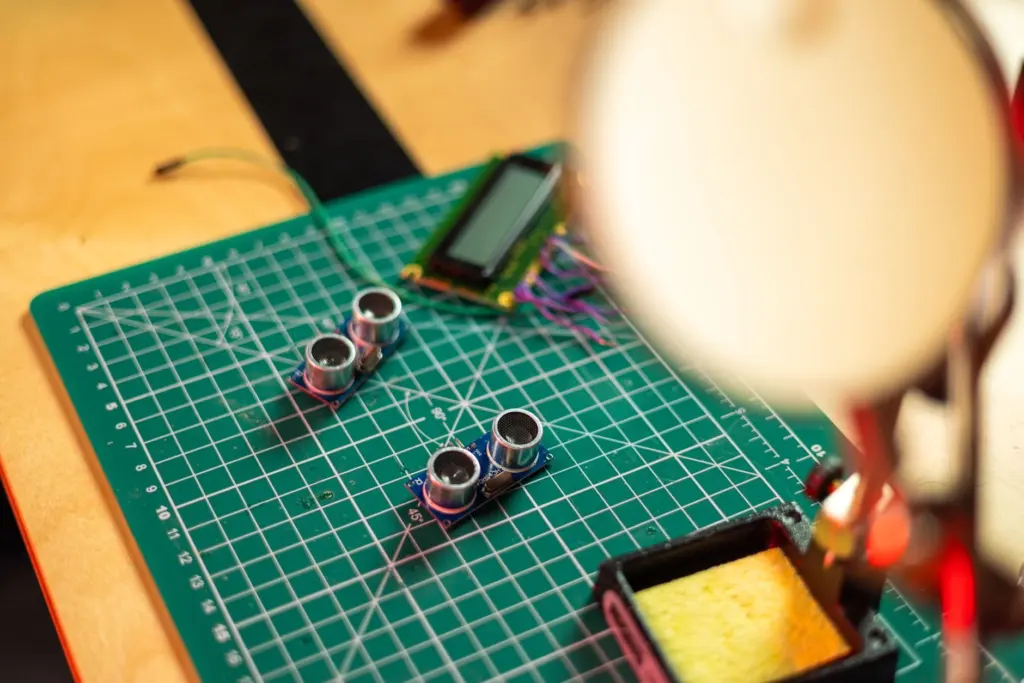
Those methods differ in how they sense and what they cope with. The practical way to choose among them is to test against your real target and surroundings, since the durability checks below apply to each. A small ultrasonic module is a common first choice for obstacle detection on a hobby robot.
Light sensing is the other optical family. The Renkeer guide describes a photoresistor that connects easily to an Arduino as an analog light sensor, which makes it a sensible first light-sensing part for a hobby build. It also notes that photodiodes are widely used in industrial automation and telecommunications.
Sensor comparison at a glance
| Sensor | What it measures | Typical applications | Planning use |
|---|---|---|---|
| Temperature sensor | Thermal conditions (thermistor, RTD or thermocouple types) | Present in every IoT use case; the smart-home example runs from -20°C to 50°C | Match the type and range to the environment before you pick the part |
| Accelerometer | Motion | Portable devices, robotics, gaming controllers (ADXL345 as an example) | Use it to detect movement on a moving platform |
| Gyroscope | Rotation and angular velocity | Navigation systems, robotics | Add it where turning matters, not only movement |
| Photoresistor | Light level | Analog light sensing | Connects easily to an Arduino, so it suits a first project |
| Photodiode | Light | Industrial automation, telecommunications | Consider it where industrial-style light detection is the goal |
Figures and applications come from the Renkeer sensor guide and the Cavli sensors overview.
Which sensors robots use
Robots draw on the same families, with each sensor covering a different job:
- Accelerometer and gyroscope: both are named for robotics use, covering motion and rotation respectively.
- Proximity sensors: infrared, ultrasonic, optical or LiDAR detection lets a robot notice what is near it.
- Temperature sensors: they track thermal conditions wherever heat is a concern.
- Light sensors: a photoresistor gives a simple analog reading for hobby builds.
Beginners should add sensors one at a time. How To Build A Robot For Beginners: A Simple Step‑By‑Step Guide For 2026 puts parts like these into a build order.
How to choose a sensor
Work through the decision in this order. It follows the guidance in the Cavli and industrial IoT sources, which both stress balancing project requirements against constraints.
- Name the quantity. Decide whether you need a physical measurement, such as temperature, pressure or motion, or a chemical one, such as gas or pH.
- Match the signal and interface. Analog output is continuous and digital is discrete. Cavli lists I2C, SPI, UART, Modbus, Bluetooth and Zigbee as common communication options for digital sensors. Confirm that your board supports the one the sensor uses.
- Check the environment. The industrial IoT guide advises evaluating vibration, temperature, humidity and exposure to protect durability and longevity.
- Count the power cost. Sensors with high power draw typically need frequent battery replacements. Another overview notes that sensors often require a power source, which can limit remote placement.
- Balance everything. Weigh these factors against your project’s requirements and constraints, then pick the sensor that fits all of them rather than the one that excels at one.
When two parts both meet the requirements, prefer the one whose interface your board already supports.
Frequently asked questions
Can an IoT sensor work without a power supply?
Some can. The freeeway roundup classes passive sensors as detecting environmental changes without any dedicated power supply, while active sensors need a power source.
Why can wireless sensor readings be unreliable?
Because wirelessly connected sensors can be subject to interference from other devices or the environment, which can affect the readings.
Why do sensors monitor vibration?
Irregular vibration often comes before machinery and equipment failure, according to the industrial IoT guide. An accelerometer is the sensor type used for motion detection, so it is a natural fit for catching such changes early.